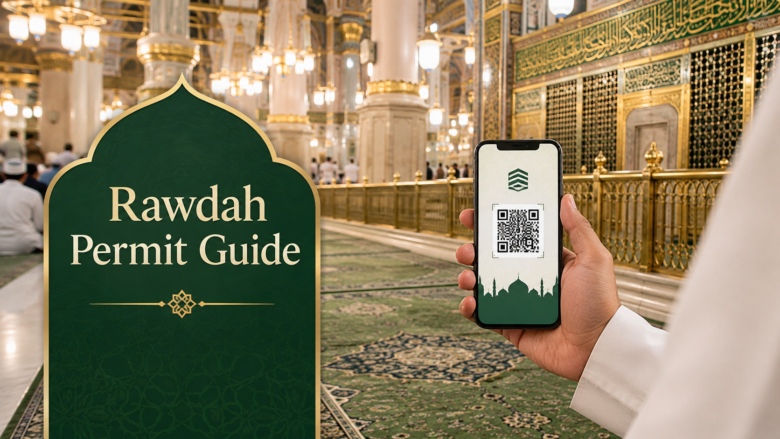




You need a Rawdah Permit Nusuk App booking to enter the Rawdah in Masjid al Nabawi, and without it, security will turn you away at the gate no matter how valid your visa is. For US pilgrims preparing for their first Umrah, this single requirement causes more stress than the flight, the visa, or the packing list combined. The good news is that booking it takes about five minutes once you know where to tap, and this guide walks you through the entire process using the most current Nusuk procedures for 2026.
What Is the Rawdah and Why Do You Need a Permit
The Rawdah, also called Riyad ul Jannah or the Garden of Paradise, is the space between the Prophet Muhammad’s tomb and his minbar inside Masjid an-Nabawi in Madinah. You can recognize it by its green carpet, which contrasts with the red carpet covering the rest of the mosque.
Because the space is small and millions of pilgrims visit every year, the Saudi Ministry of Hajj and Umrah requires every visitor to hold a digital permit before entering. Security staff scan a QR code at the gate, and there are no exceptions for missed bookings or last minute arrivals. This system exists to manage crowds fairly, giving every pilgrim a genuine chance to pray in one of the most spiritually significant spots in Islam rather than competing in a scramble at the door.
Downloading and Setting Up the Nusuk App
Step 1: Download the Official App
Search “Nusuk” on the Apple App Store or Google Play Store. Look for the app published by the Ministry of Hajj and Umrah with the green and white logo. Avoid third party clones or APK files from outside the official app stores, since fake versions have been used to harvest pilgrims’ personal data.
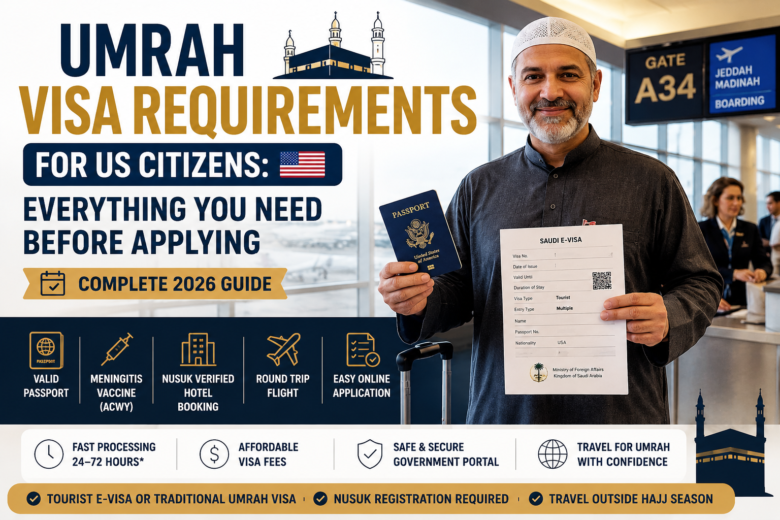
Before your trip, make sure your Umrah visa requirements for US citizens are complete so your Nusuk registration goes smoothly.
Step 2: Register Your Account
Open the app and select “Register New User.” You will need your passport number and Umrah visa number to complete registration. US pilgrims should use the same email and phone number they used on their visa application, since mismatched contact details are a common cause of failed verification. Confirm your identity through the one time password sent to your phone or email, then link your visa to your profile.
If your visa was issued within the last 24 hours and the app cannot find your details, wait a day. Nusuk syncs with the Ministry of Foreign Affairs database, and new visas sometimes take time to appear.
How to Book Your Rawdah Permit on the Nusuk App
Step 1: Navigate to Prophet’s Mosque Services
From the Nusuk home screen, scroll to “Holy Mosque Services” or “Prophet’s Mosque Services.” Tap the option for “Permit to Visit Al Rawdah Al Sharifah” or “Prayer in the Noble Rawdah.”
Step 2: Select Your Gender Category
Men and women have separate visiting hours and separate entry gates for the Rawdah, so choose the correct option before proceeding. Selecting the wrong category is a common reason permits fail to scan at the entrance, so double check this before confirming.
Step 3: Choose a Date and Time Slot
Rawdah slots typically open seven to fourteen days before the visit date and release in batches rather than all at once. Only dates and times shown in an active color, usually green, can be selected. If everything is grayed out, no slots are currently open, and you will need to check back later.
Step 4: Confirm and Issue the Permit
Review the details, agree to the on screen terms, and tap “Issue Permit.” Your permit generates instantly as a QR code inside the app. Take a screenshot as a backup, but staff at the gate generally need to see the live permit open in the app rather than just a saved image.
What to Do When Slots Show “No Slots Available”
This is the single biggest frustration first time users report, and it almost always comes down to timing rather than a technical fault.
Check at odd hours. Cancellations and newly released batches often appear late at night or early morning, Saudi time, so many pilgrims find open slots by checking around 2 A.M. or 4 A.M. local time.
Refresh on the batch schedule. Slots are commonly released in fixed intervals, such as on the hour or half hour, so refreshing exactly at those marks improves your odds over refreshing randomly.
Be flexible on timing. If your preferred hour is full, take whatever slot is open. Being inside the Rawdah matters far more than which 30 minutes window you are assigned. Some versions of the app also offer a waitlist option instead of requiring constant manual refreshing, which saves time and stress.
Planning your complete Umrah trip? Explore our Umrah packages and travel services to arrange your visa, accommodation, and transportation.
Key Rules First Time Users Often Miss
A few policies catch new pilgrims off guard. You can typically hold only one active Rawdah booking at a time, and once your visit is complete you become eligible to book again, though the system may limit frequency during busy periods such as Ramadan. Children under five generally do not need their own permit but must stay with a parent, while children aged five and above need an individual permit booked the same way as an adult. Permits cannot be rescheduled or transferred once issued, so a missed slot means booking a new one for a different date. Photography and video recording are not permitted inside the Rawdah, since it is a place reserved for prayer and quiet supplication.
Arriving at the Rawdah: What Happens at the Gate
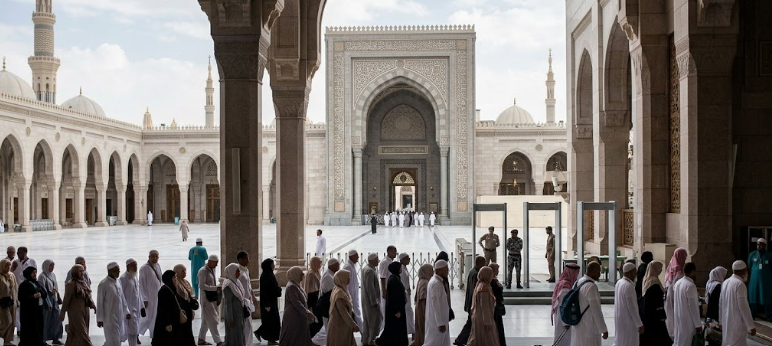
Plan to arrive at Masjid al Nabawi at least thirty minutes before your scheduled slot, since the walk from the entrance to the Rawdah takes time and security checkpoints add to it. At the designated gate for your gender category, open the Nusuk app directly rather than relying solely on a screenshot, and turn up your screen brightness so the QR code scans cleanly. Staff may also ask to see your passport for verification. Once scanned, you will typically have ten to fifteen minutes inside the Rawdah to pray and make dua before staff signal it is time to move on calmly for the next group.
Common Mistakes and Expert Tips
Waiting until arrival in Madinah to book. Slots fill within seconds of release, and pilgrims who wait until they land often find every date gone for their entire stay. Register on Nusuk the moment your Umrah visa is issued, well before you board your flight from the US.
Booking the wrong gender category. This single error causes your permit to fail at the gate even though the booking appears successful in the app.
Relying only on a screenshot. Keep it as a backup, but open the live app for scanning whenever possible, since some gates specifically require the active session rather than a static image.
Assuming a tour operator can book for you. Even pilgrims traveling with a full package still need their own Nusuk account and their own individually booked Rawdah permit, since each permit is tied to personal visa and passport details. This is exactly why choosing a provider that handles Umrah visa and travel services properly matters, since good guidance before you fly prevents this confusion. If traveling with family, have each person register individually ahead of time so nobody is scrambling during the trip itself, and consider a local Saudi SIM or eSIM once you arrive so checking for cancellations is easier.
Planning Your Wider Umrah Journey
Booking your Rawdah permit is just one piece of a well organized Umrah trip. Coordinating your visa, accommodation, and transportation ahead of time removes most of the stress that first time pilgrims from the US typically face. Many pilgrims also save significantly by checking current Umrah package promotions before locking in their travel dates, since pricing and availability shift throughout the year.
If you are still finalizing your travel arrangements, start planning your Umrah trip from the USA with Majmua Travels and let a trusted, US-based team handle your visa, hotels, and transport so you can focus on securing your Rawdah slot and preparing spiritually for the journey ahead.
Conclusion
Securing your Rawdah Permit Nusuk App booking does not need to be complicated once you understand the process. Download the official app early, register as soon as your visa is issued, select the correct gender category and time slot, and stay flexible if your first choice shows no availability. The permit is free, the booking takes only minutes, and a little preparation before you leave the US can be the difference between a peaceful few minutes in the Rawdah and a frustrating scramble after you arrive. Treat this step with the same seriousness as your flights and visa, and you will walk into Masjid an-Nabawi with one less thing to worry about.
FAQs
Is the Rawdah permit free to book on the Nusuk app?
Yes. The Rawdah permit costs nothing through the official Nusuk app or nusuk.sa. Any third party site or agent charging a “booking fee” is not a legitimate source.
How far in advance do Rawdah slots open on Nusuk?
Rawdah slots open 7 to 14 days before the visit date, narrowing to 3 to 5 days during Ramadan. This is a shorter window than the 90 days advance booking used for general Umrah permits.
Can I book a Rawdah permit for my whole family on one phone?
No. Every pilgrim, including children aged five and above, needs an individual permit linked to their own passport and visa number, even if one person handles the booking for the group.
What should I do if the Nusuk app shows no available slots?
Check the app again at off peak hours, such as between 2 a.m. and 4 a.m. Saudi time, since cancellations and new batches release throughout the day. Accept any open time slot rather than waiting for a specific hour.
Do I need the Nusuk app if I already booked a full Umrah package through a travel agency?
Yes. A travel agency can arrange your visa, hotel, and transport, but only you can book your own Rawdah permit on Nusuk, since it is tied directly to your personal visa and passport details.